
Visual Design System Configurator for WordPress
Configure colors, typography and buttons with a live preview, then export to Elementor, FSE or CSS in one click.
100% free - No account needed - Works with Elementor & FSE
Export to
CSS Custom Properties
Elementor Kit
WordPress FSE
Markdown
WPStylo Companion
The problem
Sound familiar?
Every WordPress developer knows these frustrations.
WPStylo was built to fix all three.
Tweak. Refresh. Repeat.
You change a font size in Elementor, go to the front-end, refresh, head back to the admin, tweak again. It takes 30 minutes to decide on a heading size, and you still can't be sure it looks right on mobile.
Locked to one builder.
Switch from Elementor to an FSE theme? Your colors and fonts don't follow. You re-enter everything from scratch on every project, on every site. There's no single source of truth.
Responsive typography is a nightmare.
Most builders force you to manually set pixel values at each breakpoint. Nobody tells you about clamp() and your headings look broken on tablet anyway.
The problem
Three steps.
That's it.
No tutorials, no config files, no guessing. Open the app and start.
Configure
Pick colors with semantic roles (primary, accent, text…), sync Google Fonts, adjust button variants; all in a single visual panel on the left.
Preview live
Every change reflects instantly on a full dummy pag, hero, cards, form, footer. Switch between desktop, tablet and mobile to check responsive behaviour.
Export
One click. Get your CSS variables, Elementor Kit, theme.json or Tailwind config; ready to paste directly into WordPress. Or use the companion plugin for zero copy-pasting.
See it in action
Everything updates instantly.
Change a color, the whole preview reacts. No refresh, no reload.
Just move a slider and see your site take shape.
The live preview updates across all viewports simultaneously.
Features
Live preview canvas
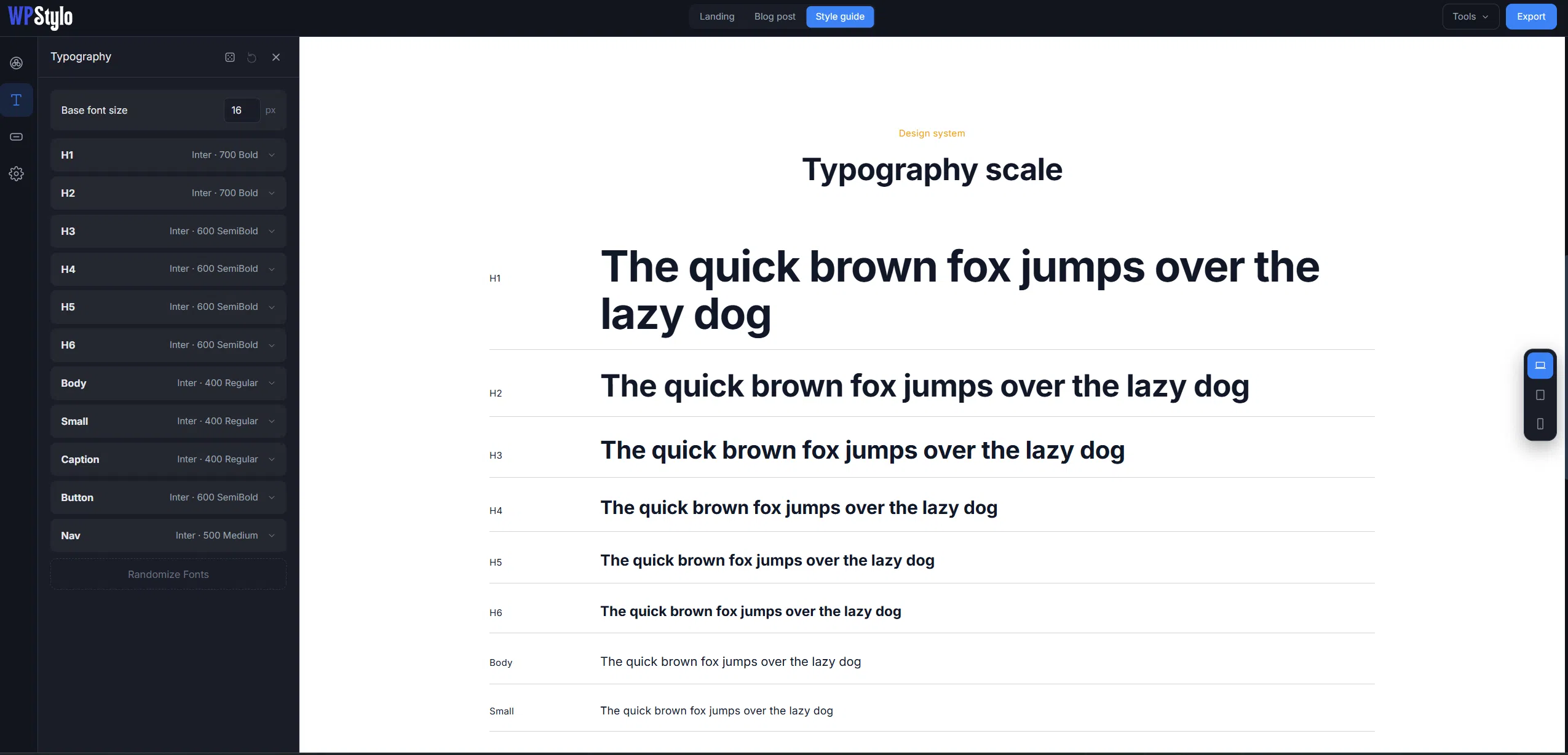
A full dummy site: landing page, blog post and a style guide view, all driven by your design tokens. Switch views in one click and see exactly how your system looks before you export.
Color system
Semantic roles, automatic shade scales (50→950), WCAG contrast checker live between any two colors. Randomize for an instant accessible palette, or import from Coolors.
Global elements
Border-radius scale, shadow presets, spacing system; consistent across your whole design. Randomize curated font pairings in one click.
Typography
Google Fonts sync, H1–H6 / body / button roles, responsive clamp() auto-generated from desktop & mobile sizes.

Buttons
5 variants × 4 states (default, hover, focus, disabled). Radius, padding, font size: all configurable per variant.
Save & share
Export your full config as a WPStylo JSON file. Import it on any project, share it with a client, reuse it anywhere.
Export
Export to
your stack.
One config. Any format. No re-work when you switch builders.
CSS Custom Properties
Universal. Works with any WordPress theme, builder, or custom framework.
Elementor Kit
Injects colors, fonts and buttons directly into your Elementor Kit Manager.
WordPress theme.json
Merges into your block theme. Supports clamp() natively, no hacks needed.
WPStylo Companion Plugin
Install this free WordPress plugin and import your design system directly: no copy-pasting PHP snippets. Configure in the app, sync to WordPress in one click.
Do I need to know how to code?
Not at all. Everything in WPStylo is visual: color pickers, dropdowns, sliders. The CSS, PHP and JSON output is generated automatically behind the scenes.
Can I still make changes in WordPress after importing?
Yes. WPStylo gives you a consistent, clean starting point. Once imported into Elementor or your FSE theme, you can fine-tune anything directly in your builder or theme settings as usual.
Is WPStylo free?
Completely free. No account, no subscription, no credit card. Just open the app and start configuring.
Does it work with my theme or builder?
WPStylo exports to CSS Custom Properties (universal), Elementor Kit, and WordPress theme.json (FSE). If you use Elementor or a block theme, you're fully covered.
What's the WPStylo Companion Plugin?
A free WordPress plugin that lets you import your design system configuration directly: no copy-pasting. Install it on your site, export from the app, and import in one click.
Try it, it's free!
Ready to build your
WordPress design system?
Open WPStylo and configure your first design system in minutes:
no account, no setup, no limits.